AI Feedback Analysis: How to Analyze Customer Feedback with AI
Learn how AI feedback analysis turns customer comments into themes, problems, positive signals, and actions, with a practical example and prompt.

Feedback becomes hard to use before it becomes hard to collect.
A small product team can gather responses from surveys, feedback widgets, support conversations, reviews, and customer interviews without much trouble. The difficult part comes later: reading every comment, noticing what repeats, and deciding which signals deserve a closer look.
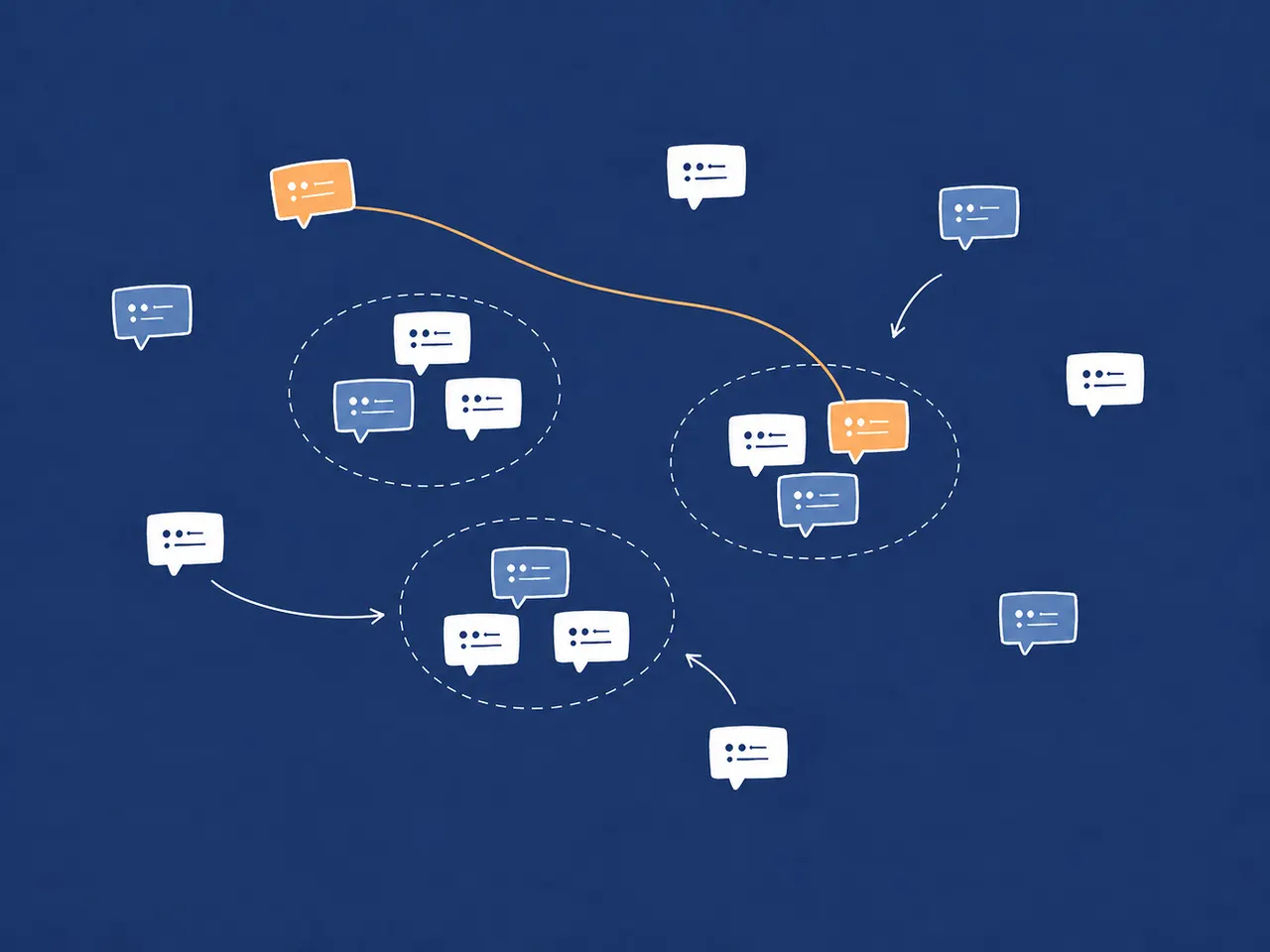
AI feedback analysis helps teams move from hundreds of individual comments to recurring themes, problems, positive signals, and possible actions. It gives you a faster first reading of qualitative feedback. It does not replace customer research or decide what belongs on your roadmap.
The useful question is not simply, "Is this feedback positive or negative?" It is:
What are customers repeatedly telling us, and what might deserve attention?
What is AI feedback analysis?
AI feedback analysis uses language models and related techniques to identify patterns across qualitative customer feedback. A useful analysis can group comments around common themes, surface repeated problems, show what customers value, and suggest questions or actions for a team to investigate.
That is broader than sentiment analysis. A negative label tells you how a comment sounds. It does not necessarily tell you what caused the frustration, which workflow is affected, or whether other customers are describing the same problem.
The idea has something in common with thematic analysis: looking across qualitative data for recurring patterns that help answer a question.1 AI can speed up that first pass, but a product team still has to review the evidence and decide what the pattern means in its own context. That caution is consistent with current research practice: a 2026 scoping review of 75 peer-reviewed studies using LLMs in qualitative research found that 97% included human verification of AI outputs.2
For feedback collected through Signaldeck, AI customer feedback analysis brings recent text and rating responses into a report of themes and suggested actions.
What kinds of customer feedback can AI analyze?
AI is most useful when feedback arrives as unstructured text that would otherwise take time to read and categorize by hand. Common sources include:
- open-text survey responses;
- NPS follow-up comments;
- feedback widget submissions;
- feature requests;
- support conversations;
- product reviews;
- onboarding feedback;
- cancellation or churn feedback; and
- customer interview notes.
These sources do not all need to live in one system. A team might analyze a focused export from one onboarding survey, a set of support conversations about a release, or notes from several customer interviews. The important part is choosing feedback that belongs to the same product question.
Combining every available comment can make an analysis look comprehensive while removing the context that makes it useful. Feedback about pricing-page clarity, onboarding friction, and a mature product workflow may all be valuable, but they do not necessarily belong in the same reading pass.
What can AI feedback analysis tell you?
A useful analysis should give a team more than a single score. It should organize the response set into signals that can guide a closer investigation.
| Signal | What it helps you see | Example |
|---|---|---|
| Recurring themes | Subjects that appear across multiple responses | Onboarding, pricing, integrations, performance |
| Customer problems | Frustrations or blocked workflows | People cannot find the team-invite control |
| Positive signals | Parts of the experience customers value | Setup feels faster and requires fewer steps |
| Feature requests | Capabilities customers repeatedly ask for | A requested integration or export option |
| Risks and emerging issues | Problems that are new, severe, or increasing | A checkout error appearing after a release |
| Possible actions | Changes or questions worth investigating | Clarify copy, inspect a bug, or ask a follow-up |
Possible actions are not automatic priorities. Frequency matters, but so do severity, customer context, product strategy, and the cost of doing nothing. The analysis should narrow the field for human judgment, not replace it.
A simple AI feedback analysis example
Imagine a SaaS company collects 75 responses after changing its onboarding flow. The team asks what felt easier, what was still confusing, and whether anything blocked setup.
A useful first-pass analysis might look like this:
| Common pattern | Mentions | What it suggests |
|---|---|---|
| Setup feels faster | 18 | The shorter flow is a positive signal worth preserving |
| Team invitations are difficult to find | 11 | A control may need better placement or explanation |
| Billing terminology is confusing | 7 | Plan and billing language needs a closer copy review |
The positive signals are not limited to the largest count. Customers also describe a simpler setup, a cleaner interface, and fewer steps.
The analysis could then suggest three actions to investigate:
- Make team invitations more prominent.
- Revise the billing terminology.
- Review the remaining setup friction in the original responses.
This is a hypothetical example, not a customer result. Its purpose is to show the shape of a useful readout: repeated patterns, supporting counts, positive signals, and a short list of next questions. The team still decides which issue matters most.
How AI feedback analysis works
The high-level workflow is straightforward:
- Collect focused feedback. Start with a question tied to a page, workflow, release, or decision.
- Choose a relevant response set. Keep the scope narrow enough that the comments share useful context.
- Ask AI to identify recurring patterns. Look for themes, problems, positive signals, requests, and unusual issues.
- Summarize what the patterns mean. Turn repeated comments into a manageable readout.
- Review the source feedback. Check the original words behind anything important or surprising.
- Decide what deserves action. Apply severity, strategy, effort, and customer context before choosing a change.
The fifth step is easy to skip. It is also what keeps a polished summary from becoming a substitute for evidence.
Three things I've learned from working on AI feedback analysis
1. Sentiment alone does not tell you what to do
Knowing that a set of comments sounds negative tells you something may be wrong, but not what caused the problem, which workflow is affected, or what a team should inspect next. Sentiment analysis only becomes useful when it is specific enough to support action.
That is also a weakness of NPS surveys that stop at the score. A rating tells you how likely someone says they are to recommend the product, but not what shaped their answer. A follow-up question such as "What is the main reason for your score?" turns the number into feedback a team can investigate.
"Negative sentiment" is vague. "Users repeatedly cannot find the team-invite control" gives a product team something concrete to inspect. Sentiment can add context, but the useful result is a clear description of the product problem.
2. Not all feedback is equally useful
Timetoast has a free plan, and free users make up the largest part of its user base. That meant many of the feature requests I received came from free users. When I followed the volume alone, I found myself building out the features they valued rather than paying enough attention to what paying subscribers needed.
That does not make feedback from free users unimportant. It means a common request is not automatically the most useful signal for a product decision. An AI analysis can accurately identify the most frequent request and still point you in the wrong direction if every customer is treated as part of the same group.
Segment feedback by factors such as plan, customer type, or stage in the customer journey. Counts help you understand a response set, but the people behind those counts determine what the feedback means for your product.
3. Similar requests can hide different problems
AI analysis compresses feedback. That is useful, but the compression can make different customer needs look like one clear theme.
Suppose several comments are grouped under "customers need better exports." One customer may want a CSV file to analyze in a spreadsheet, another may need a client-ready PDF, and a third may want API access to move data into another system. They are all asking about exports, but they are not asking for the same feature. Acting on the summary alone risks building a generic solution that does not solve any of those jobs well.
Read the original comments behind an important theme. Compare who is asking, what they are trying to do, and the context around the request. The summary should narrow where you look; the source feedback tells you whether the comments point to the same problem and what action might make sense.
How to analyze customer feedback with ChatGPT or Claude
You can try this workflow without dedicated feedback software. ChatGPT and Claude can both work with uploaded feedback files and synthesize the responses into themes and follow-up questions.34
Start small:
- Export or collect a bounded set of responses tied to one product question.
- Remove data you are not authorized to share.
- Add stable response IDs if you want to trace findings back to the source.
- Give the responses to ChatGPT or Claude with a specific analysis request.
- Review the original responses before deciding what to change.
Here is a starter prompt:
The untrusted-evidence instruction matters because customer text can contain requests or command-like language that belongs to the feedback rather than to your analysis task. Delimiting the response set makes that boundary explicit.
Only use feedback you are authorized to process, and follow your organization's policies and the AI provider's current data-handling terms. That is a practical preparation step, not something to delegate to the prompt.
Where manual AI analysis gets awkward
A one-off export is often enough to answer one focused question. The friction appears when the team wants to repeat the analysis. Someone has to choose the responses, export them again, fit them within the tool's context limits, recreate the prompt, and decide whether an older result is now stale.
The analysis also sits apart from the place where feedback was collected. That makes it easier for response context to get lost and harder to run the same method consistently. These limitations do not make general-purpose AI tools poor choices. They mean the workflow becomes more demanding as analysis turns from an occasional exercise into a habit.
Keep analysis close to feedback collection
Signaldeck's AI feedback analysis keeps the response set and its analysis in the same feedback workflow. After a form has enough responses, you can can generate a summary and refresh it when a newer reading is useful.
The report presents an overview, recurring themes, positive signals, risks, suggested actions, confidence, the number of source responses, and the time it was updated. You can see the structure in our example AI feedback analysis report.
Original submissions remain available for separate review, along with the context retained on those submissions. A report does not claim that every finding links directly to a supporting comment. The source-response count describes the analysis set; checking the underlying evidence is still part of the workflow.
Dedicated tooling mainly removes repeated setup. It reduces the cycle of exporting responses, rebuilding prompts, and storing summaries somewhere else. It does not guarantee perfect accuracy or decide which feature to build.
Connect feedback to AI tools with MCP
You might also want feedback available in the tools you use to plan and investigate. Signaldeck's customer feedback MCP server gives compatible AI tools and agents access to the feedback you've collected and can make analysis sessions much easier to repeat on a regular basis.
That can support questions such as, "What issues recur in recent feedback?" or provide customer context before an agent helps plan work. For a deeper look at that workflow, read about building a feedback loop with MCP.
Where AI helps, and where it does not
| AI is useful for | Humans still need to |
|---|---|
| Reading large volumes of text | Decide what matters |
| Finding recurring patterns | Apply product strategy |
| Grouping similar feedback | Talk to customers |
| Summarizing common issues | Investigate unusual cases |
| Suggesting possible actions | Decide what to build |
| Repeating analysis consistently | Take responsibility for decisions |
The main benefit is compression: many comments become a manageable set of signals to investigate. The responsibility for interpreting those signals stays with the team.
Turn the summary into a question worth investigating
Good AI feedback analysis does not end with a confident-looking report. It ends with a smaller set of useful questions: Is this problem recurring? Who is affected? How severe is it? What do the original responses say? What would we need to learn before acting?
Start with a focused response set, ask for patterns rather than a verdict, and keep the source feedback within reach. When the workflow becomes repetitive, keep collection and analysis together.
Notes and references
-
Lorelli S. Nowell, Jill M. Norris, Deborah E. White, and Nancy J. Moules. Thematic Analysis: Striving to Meet the Trustworthiness Criteria. International Journal of Qualitative Methods 16 (2017): 1–13. ↩
-
Christian Kempny, Julian Frings, Paul Rust, Sven Meister, and Leonard Fehring. The use and methodological reporting of large language models in qualitative research: a scoping review. BMC Medical Research Methodology 26 (2026): 137. ↩
-
OpenAI. Analyze product feedback across tools. ↩
-
Anthropic. Upload files to Claude. ↩