Create a Customer Feedback Loop with MCP
Use Signaldeck's MCP server to give AI tools and agents fresh feedback context, spot what changed, and choose what to fix, test, or ask next.

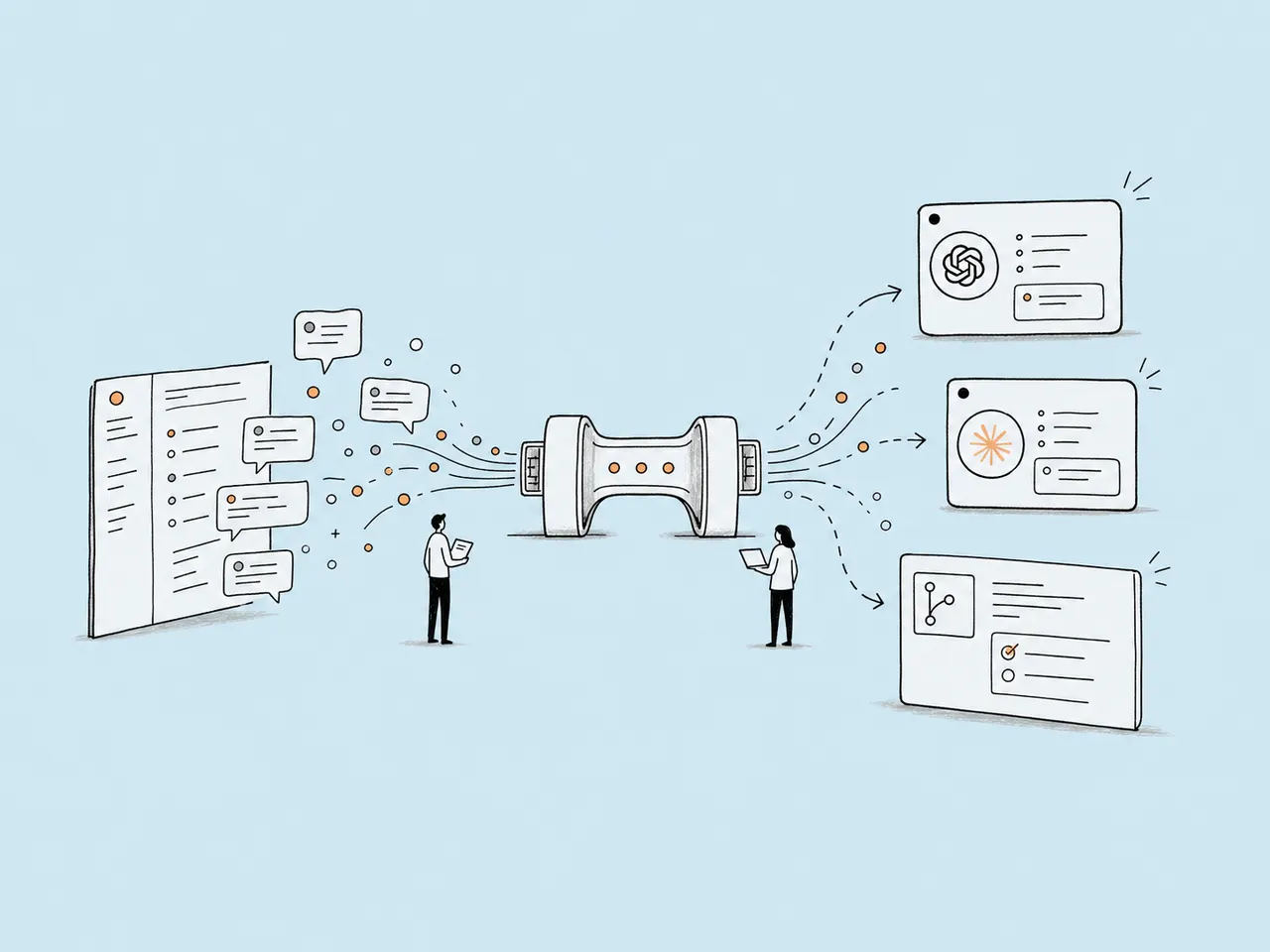
With the Signaldeck MCP server, teams can bring customer feedback into the AI agents and tools they already use. That puts Signaldeck context closer to the product questions teams are already asking.
That matters because a lot of AI feedback work still starts with copy and paste. A team exports responses, drops them into ChatGPT or Claude, asks for themes, and gets a useful answer for that moment. Then more submissions arrive, the product changes, and the next decision starts from stale context again.
The MCP server is meant to make that loop easier to keep alive. It lets MCP-compatible tools and agents retrieve Signaldeck feedback context, summaries, and responses so product questions can start from what users actually said, not from a pasted snapshot.
Pasted exports take work and go stale quickly
Most feedback analysis falls into two kinds of drag: the work required to prepare the context, and the short shelf life of the answer.
Someone has to export the right responses, paste them into the AI tool, explain the product moment, add the previous summary, and make sure the question is clear enough to get a useful readout. That can be worthwhile once. It becomes harder to sustain when the team wants a feedback loop, not a one-off analysis pass.
If you are starting with a one-off export, this guide to analyzing customer feedback with AI explains how to find useful patterns while keeping human review and the original responses in the loop.
Then the context starts aging. A new batch of responses arrives. The product changes. Someone asks a sharper question. By that point, the AI thread still reflects yesterday's evidence unless someone rebuilds the context by hand.
That is where the Model Context Protocol becomes useful.1 MCP gives AI clients and agents a standard way to connect to tools like Signaldeck, so the work does not have to start with another export and another paste.
With the Signaldeck MCP server connected, an MCP-compatible client or agent can work from current submissions, summaries, and response context for the project or form behind the decision. If you are looking at pricing hesitation, onboarding confusion, or a recurring feature request, the question starts closer to the evidence.
The first benefit is not that AI gets to decide what happens next. It is that the team spends less time assembling the same context again, and more time checking the pattern, choosing the next action, and asking a better follow-up.
What changes when feedback context is connected
An export gives an AI tool a snapshot. A connected feedback context lets the next question start from the latest responses, the summaries you already have, and the product moment behind them.
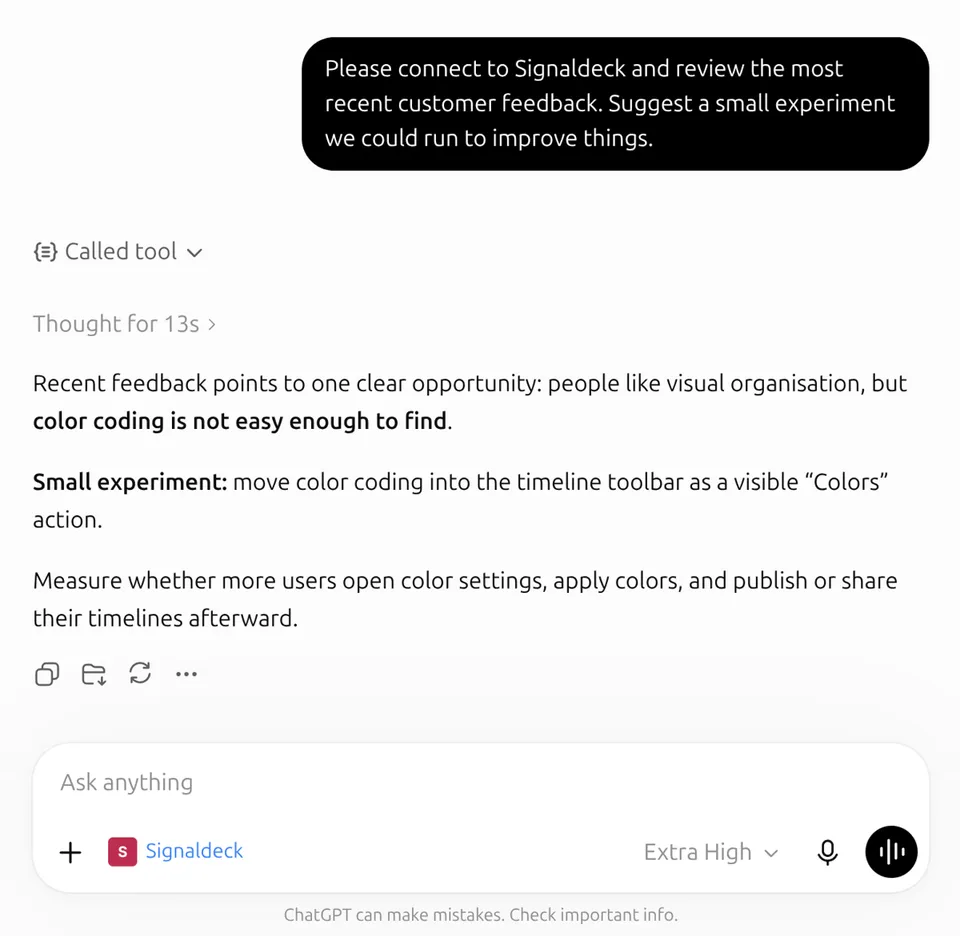
After connecting the MCP server, a team can ask, "What has changed in our pricing-page feedback since the last summary?" Or, "Which recent onboarding responses support a copy change, and which responses point to product friction instead?"
Those are feedback-loop questions. They do not just summarize a pile of comments. They help a team move from current evidence to a decision, then back to a better question.
Later, that same context can support a draft issue, a short implementation brief, or a pull request description that carries the reason for the work with it. The point is not full autopilot. The point is fewer handoffs where the customer signal gets lost.
How to create a feedback loop with the MCP server
Start with one product decision, not a general research project.
A small SaaS team might choose one of these:
- Should we rewrite our pricing-page plan cards?
- Which onboarding step needs clearer copy?
- Is a feature request repeating often enough to shape the roadmap?
- What should we explain before asking visitors to start a trial?
Then use Signaldeck to collect feedback near that decision. A form, widget, or product feedback prompt is just the collection layer. The important part is that the responses stay connected to the question and the product moment. If you want the deeper reason that context matters, this post on why teams should collect feedback while context is fresh is a useful companion.
For example, use on-page surveys for pricing feedback to ask visitors:
What is unclear or missing from this page?
Once enough responses come in, connect your MCP-compatible AI tool or agent and use the MCP server to keep the loop moving:
- Ask your AI tool or agent to review the current feedback context for one project, form, or decision.
- Have it summarize the themes, risks, positive signals, and likely next actions.
- Ask it to point back to the responses that support each finding.
- Choose or approve one small change, issue, or brief your team can review.
- Keep collecting responses after the change.
- Ask what changed since the previous readout.
The AI prompt might be:
Using the latest Signaldeck feedback, summarize what is stopping visitors from starting a trial. Separate pricing confusion, plan-fit questions, and onboarding concerns. Suggest one change we can test this week.
Then check the source responses before making the change. That is the loop the MCP server is meant to support: not one big analysis pass, but a living path from user feedback to product action.
Keep judgment attached to the work
MCP makes customer feedback easier to bring into an AI workflow. AI feedback analysis makes the feedback easier to scan.
Those two pieces work best when they stay evidence-led. Future agent workflows may carry feedback context into tickets, specs, or code, but the work still needs to keep the source responses close.
The analysis should help you see repeated themes, risks, positive signals, suggested actions, and the responses that support the recommendation.
It should not hide the original answers behind a polished summary. If the analysis says users are stuck, the team still needs to inspect what people actually said. Are they missing information, hitting product friction, asking for reassurance, or describing a gap the team can act on?
You do not have to connect an external tool to Signaldeck's MCP server to get that readout. Signaldeck already creates an AI feedback analysis report that turns responses into themes, risks, positives, suggested actions, and source evidence. MCP extends that context into ChatGPT, Claude, or an agent workflow when you want the same feedback signal available outside Signaldeck.
Prompts to try after connecting MCP
These prompts work best when your AI tool has access to current Signaldeck feedback through MCP:
Review the latest feedback for our pricing page. What themes, risks, and suggested actions stand out?
Compare the newest submissions with the existing summary. What changed enough to affect our next decision?
Which responses are the strongest evidence for an onboarding copy change?
Separate the feedback into quick copy changes, product friction, and questions we should ask next.
What follow-up question should we add if we want to understand upgrade hesitation?
Which theme looks important but still needs more evidence before we act on it?
The best prompts ask for a decision aid, not a verdict. You are looking for a clearer next move, not permission to outsource judgment.
If your agent workflow also connects to issue tracking or code tools, keep the same standard:
Draft a ticket for the smallest change we can test, including the supporting responses and what still needs review.
Prepare a pull request brief for the onboarding copy change, but keep it scoped to the evidence above.
Connect the MCP server
You can connect the Signaldeck MCP server from an MCP-compatible client such as ChatGPT, Claude, or another agent workflow that supports remote MCP servers with OAuth.2
For ChatGPT or Claude, start with Signaldeck's MCP setup guide for the server details, then follow the client-specific connector flow.34 The names and screens can change, so the official setup references are included below.
Start small: pick one product question, connect Signaldeck through MCP, and ask your AI tool or agent to help you understand what changed. Then make one decision and keep the question open long enough to learn from the next round of responses.
Notes and references
-
Model Context Protocol. Introduction. ↩
-
Signaldeck. MCP setup guide. ↩
-
OpenAI. Connect from ChatGPT. ↩
-
Anthropic. Get started with custom connectors using remote MCP. ↩